
Technical Knowledge Hub

Field Toolkits, Guides & Downloads

Tested frameworks, XLSForm cheat sheets, field supervision checklists, and video masterclasses curated by Nay Lin Soe.

Downloadable Field Resources

Practical documents designed for immediate use by MEAL officers, CAPI programmers, and survey managers.

PDF Checklist Free Download

KoBoToolbox Field Deployment Checklist

Comprehensive 25-point verification protocol before launching field data collection: server settings, user roles, offline map caches, and device provision audits.

[PDF Preview] KoBoToolbox Pre-Deployment Audit
✓ 1.0 Server URL & Account Role Permissions Verified
✓ 2.0 Offline Map Tiles Cached on Android Tablets
✓ 3.0 Mandatory Constraint Validation Stress-Tested
✓ 4.0 Daily Error Log & Callback Registry Configured
XLSX Reference Free Download

Advanced XLSForm Validation Cheat Sheet

Ready-to-copy syntax snippets for cascading filters, mutual exclusivity, phone number regex, dynamic repeat rosters, and calculate statements.

[XLSX Preview] XLSForm Syntax Library
• Cascading Select: choice_filter = "district = ${resp_dist}"
• Mutual Exclusivity: not(selected(., 'none') and count-selected(.) > 1)
• Phone Validation: regex(., '^09[0-9]{7,9}$')
• Roster Index: indexed-repeat(${member_age}, ${members}, position(..))
XLSX Tool Toolkit

Field Supervisor QA & Daily Error Log

Standardized Excel template for recording daily field submission audits, tracking enumerator error trends, logging callbacks, and verifying resolution status.

[XLSX Preview] Daily QA Master Tracker
| Int_ID | Submission Date | Duration | Error Flag | Callback Status |
| ENUM_04 | 2026-08-27 | 42 min | PASS | Verified |
| ENUM_09 | 2026-08-27 | 11 min | FLAG: Speeder | Callback Set |
SPSS Syntax (.sps) Syntax Script

SPSS Survey Data Cleaning Template

Modular SPSS (`.sps`) syntax template containing structured routines for missing value definition, variable recoding, binary multiple-response sets, and labels.

[SPSS Syntax Preview] data_cleaning_template.sps
* Define Missing Values & Clean Split Variables.
RECODE Q12_1 TO Q12_8 (1=1) (ELSE=0) INTO Q12_1_R TO Q12_8_R.
VARIABLE LABELS Q12_1_R 'Livelihood: Crop Sales'.
MULT RESPONSE GROUPS=$MR_Livelihood (Q12_1_R TO Q12_8_R (1)).
Video Tutorials

DataTech Video Masterclasses

Watch step-by-step guides on advanced XLSForm design, cascading choice filters, and survey server configurations.
XLSForm and KoBoToolbox Masterclass
XLSForm Masterclass

XLSForm and KoBoToolbox, ODK Masterclass

How to Create a KoBoToolbox Account
Server Setup

How to Create and Configure a KoBoToolbox Account

Advanced Cascading Selects
Cascading Logic

Advanced Cascading Selects & Reverse Choice Filters
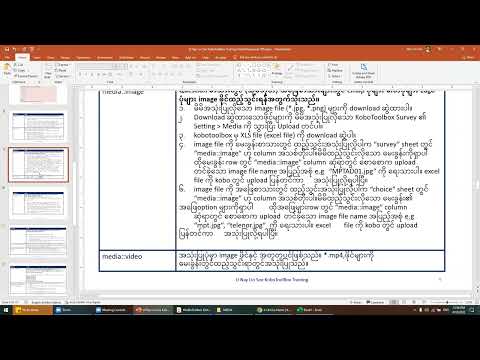
Data Validation in KoBoToolbox
Data QA

Data Validation & Constraint Rules in KoBoToolbox

Explore All Masterclasses on YouTube